Account Management
Account management is currently available on desktop only.
Viewing the account list
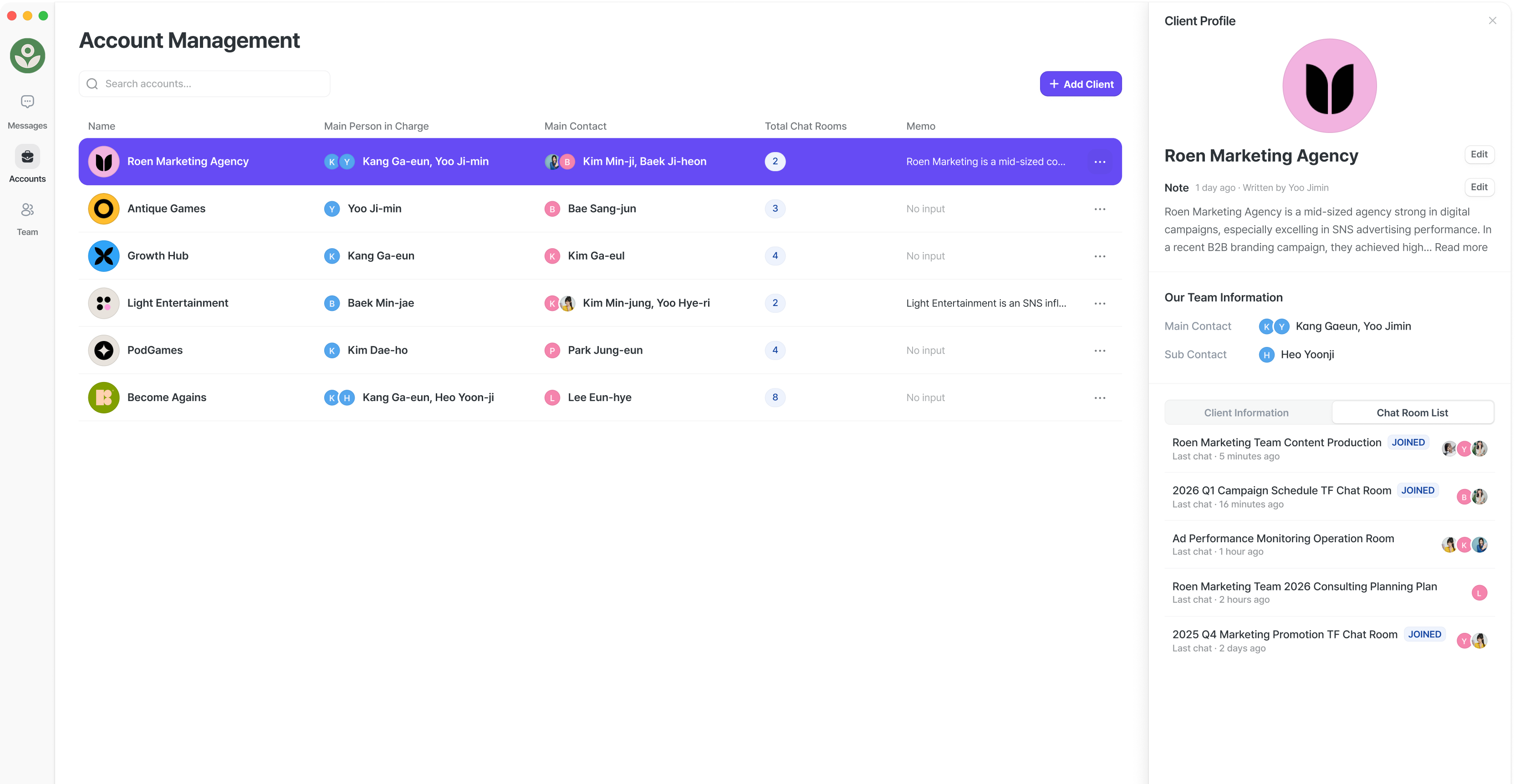
- Manage all accounts registered in your workspace from a single list.
- See at a glance who the owner (the team member responsible for each account) and the primary contact are.
- The number of open channels for each account is also displayed.
Account owners and contacts
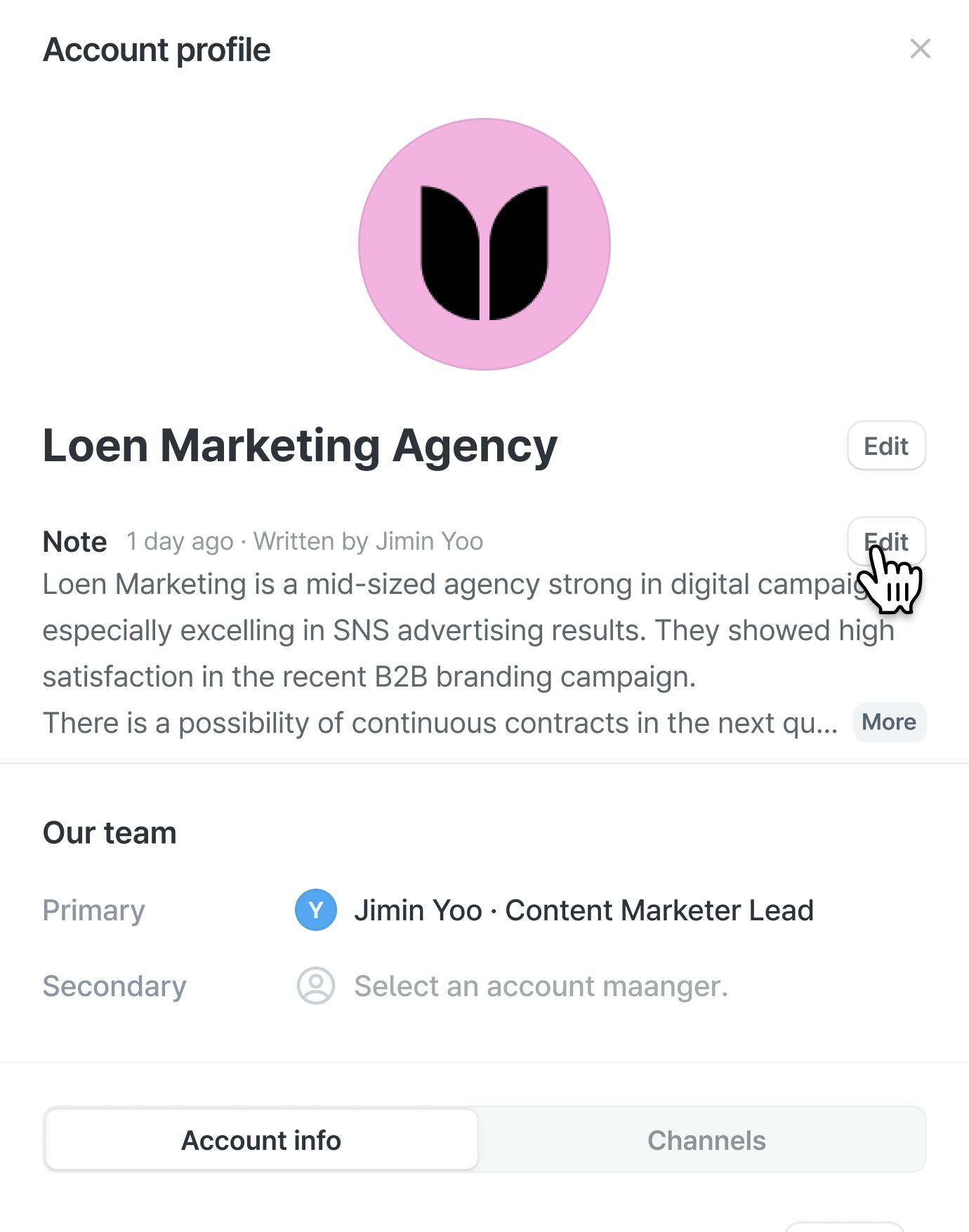

- Click an account to edit its company name or add notes.



- You can assign primary and secondary owners (from your team) as well as primary and secondary contacts (from the account side).
Viewing an account’s channels
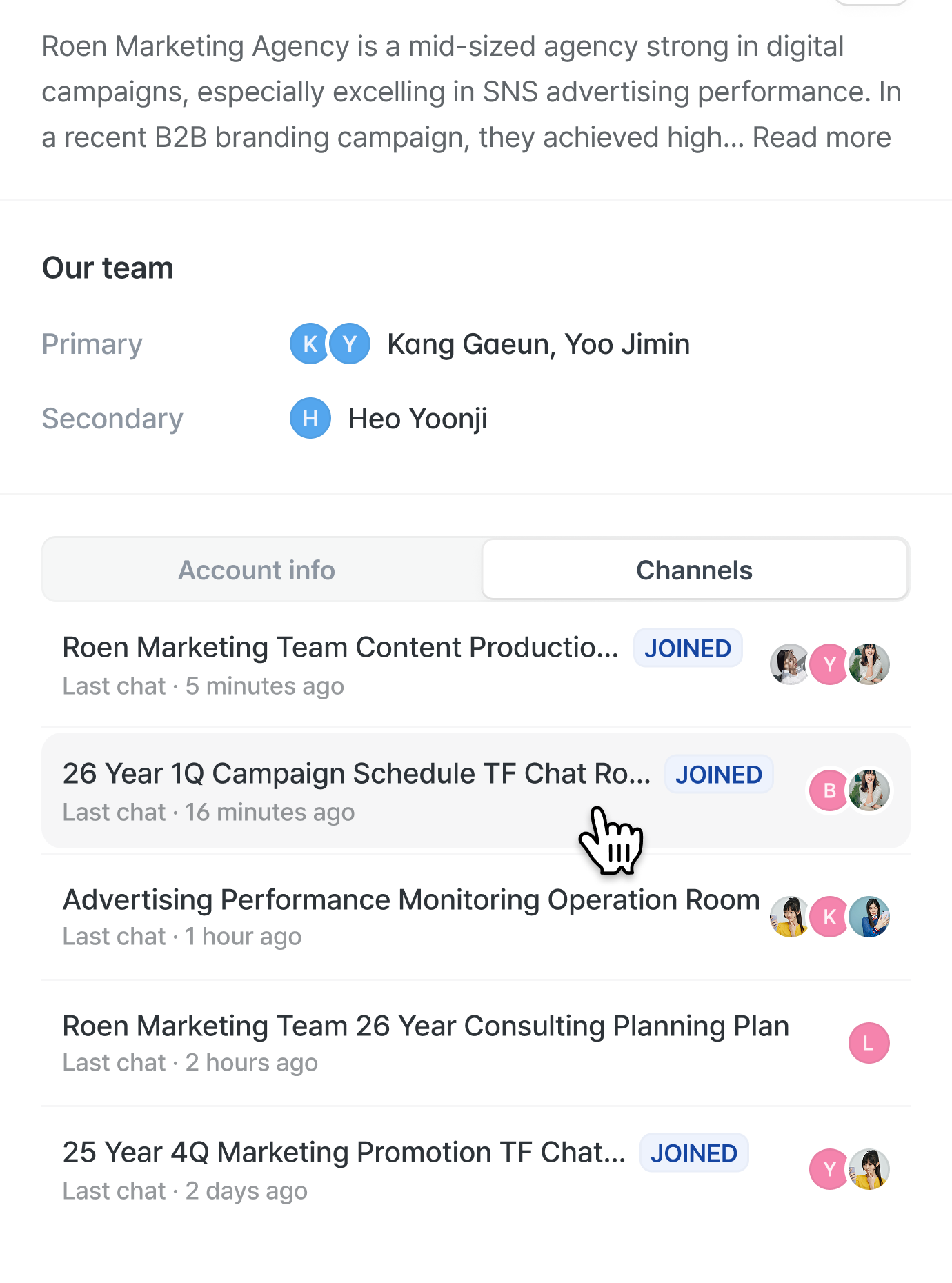


-
See the complete list of channels that your workspace has opened with this
account.
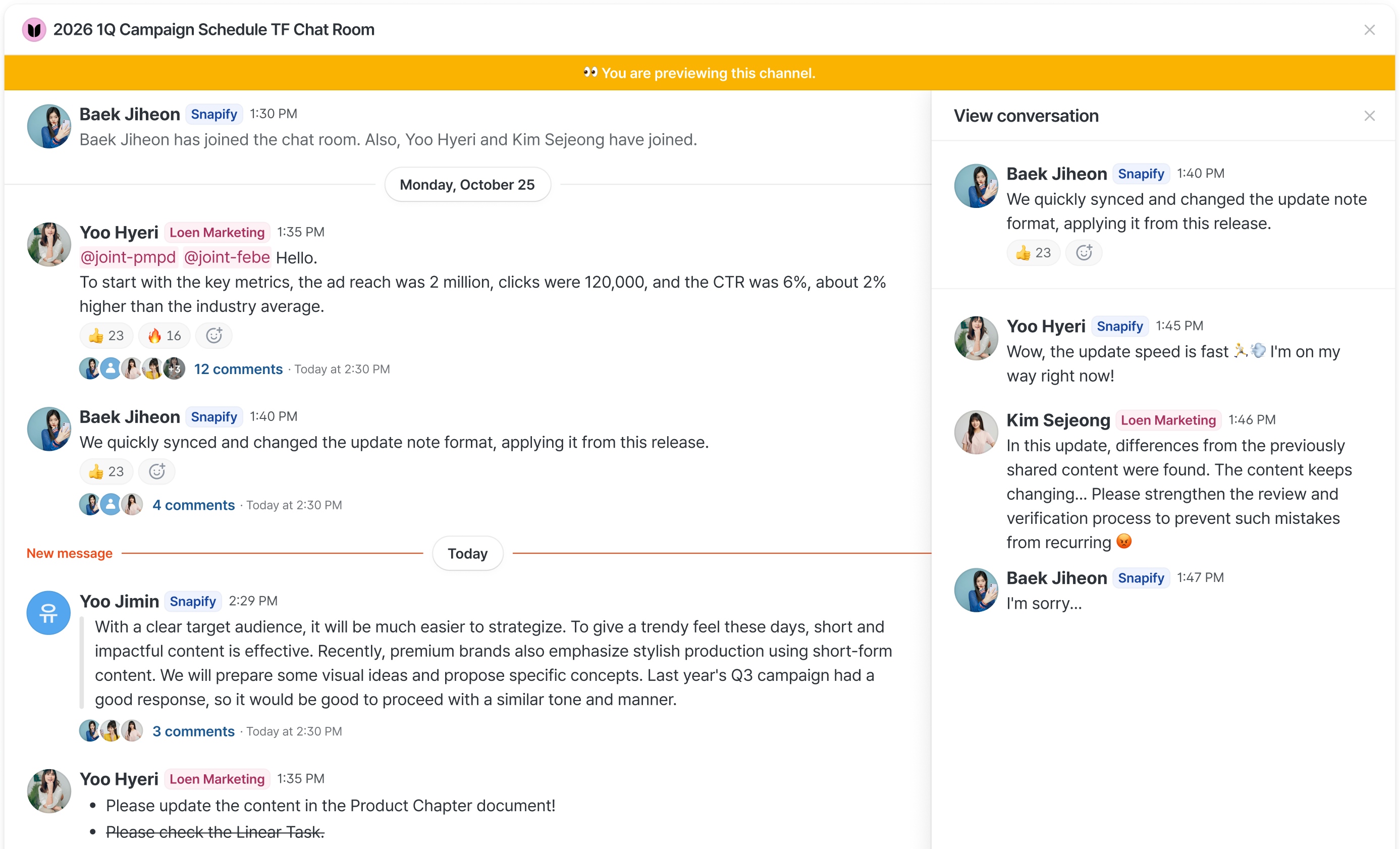
This includes both channels you participate in and channels you don’t. - You can also click a channel you’re not part of to preview its messages and participants.
Adding a new account
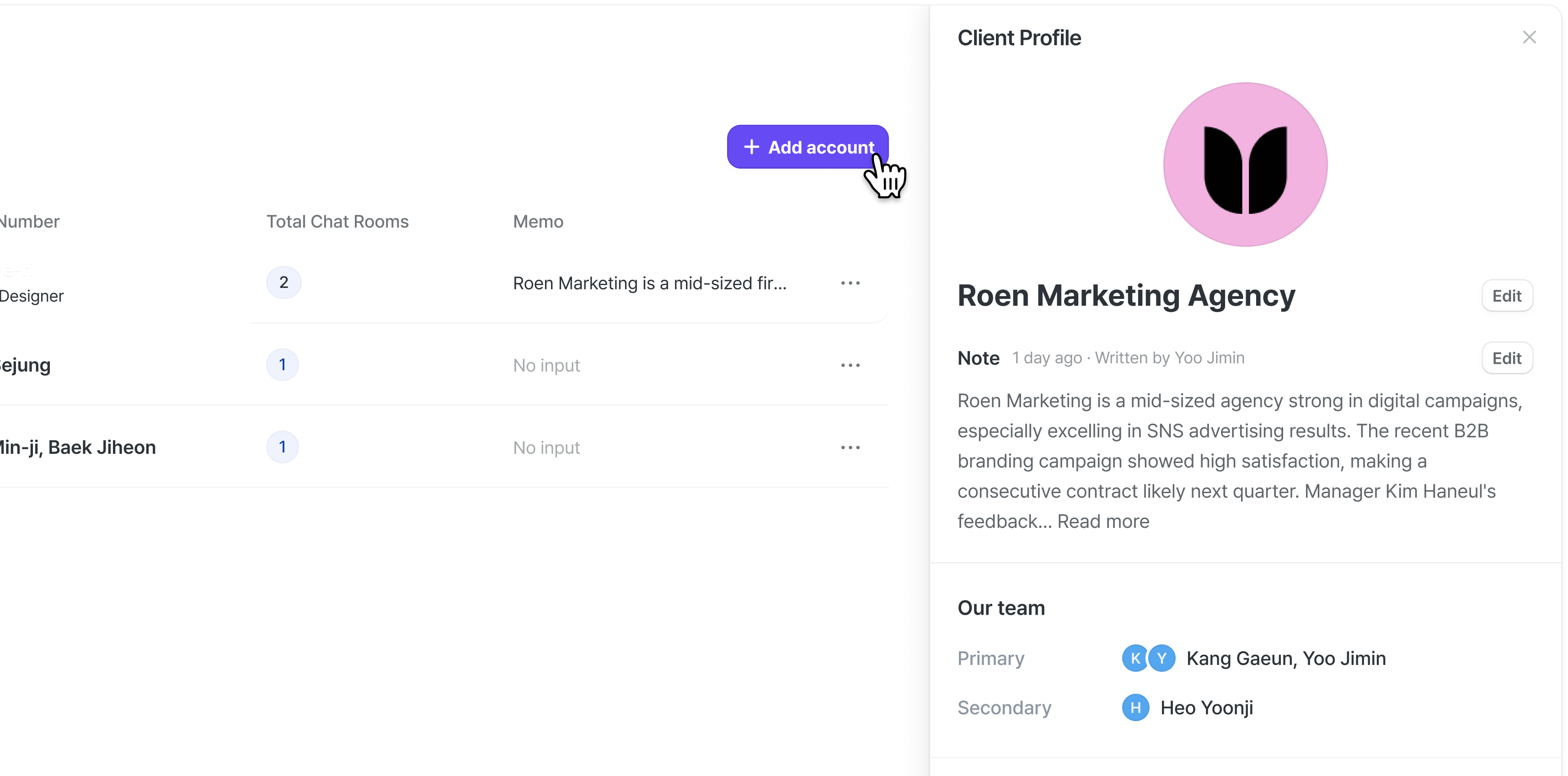
Register a new account that isn’t in your list yet, and create a new channel and send an invitation at the same time.